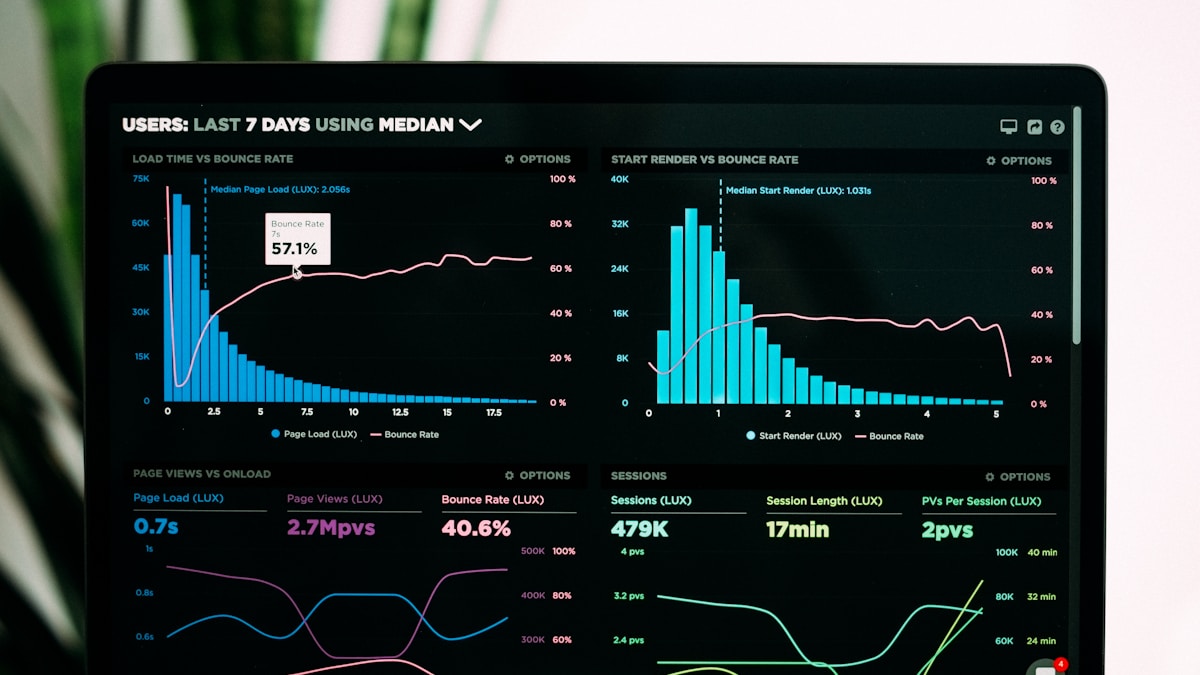
In 2026, successful ecommerce businesses don’t make decisions based on gut feelings—they let data guide every strategic move. Yet, many Shopify store owners drown in metrics without understanding what truly matters or how to turn insights into revenue.
This comprehensive guide will transform you from data-overwhelmed to data-empowered. You’ll learn which metrics actually drive growth, how to set up automated reporting systems, and most importantly, how to translate analytics into profitable actions.
Why Most Ecommerce Analytics Strategies Fail
Before we dive into solutions, let’s understand why 73% of ecommerce businesses struggle with analytics:
The Common Pitfalls
1. Vanity Metrics Obsession
- Tracking page views instead of conversion rates
- Celebrating social media likes instead of customer acquisition costs
- Focusing on traffic volume instead of traffic quality
2. Data Silos
- Shopify data here, email marketing there, advertising somewhere else
- No unified view of customer journey
- Inability to connect marketing spend to actual revenue
3. Analysis Paralysis
- Too many dashboards, too little action
- Overwhelming reports that nobody reads
- Missing the forest for the trees
4. Lagging Indicators Only
- Looking at what happened last month
- No predictive insights
- Reactive instead of proactive decisions
5. No Action Framework
- Insights without implementation plans
- Reports that don’t drive decisions
- Measuring for the sake of measuring
The Foundation: Essential Ecommerce Metrics That Actually Matter
Not all metrics are created equal. Here are the critical KPIs organized by business function:
Revenue Metrics (The Bottom Line)
1. Gross Merchandise Value (GMV)
What it is: Total sales value before deductions
Formula: Sum of all order values
Benchmark: Steady month-over-month growth of 10-20%
Why it matters: Shows overall business momentum
2. Net Revenue
What it is: Actual revenue after returns, discounts, and refunds
Formula: GMV - Returns - Discounts - Refunds
Benchmark: Should be 85-95% of GMV
Why it matters: Real money your business keeps
3. Average Order Value (AOV)
What it is: Average amount spent per transaction
Formula: Total Revenue / Number of Orders
Benchmark: $50-150 (varies by industry)
Why it matters: Directly impacts profitability per transaction
How to Track:
Daily AOV Trend = Today's Total Revenue / Today's Orders
Monthly AOV = Month's Total Revenue / Month's Total Orders
YoY AOV Growth = (This Year AOV - Last Year AOV) / Last Year AOV × 100
Actionable Insight:
- AOV < $50: Focus on product bundling and upsells
- AOV declining: Analyze discount usage and product mix
- AOV $100+: Optimize for customer acquisition, AOV is healthy
4. Customer Lifetime Value (CLV or LTV)
What it is: Total revenue expected from a customer relationship
Formula: Average Order Value × Purchase Frequency × Average Customer Lifespan
Benchmark: Should be 3-5x your Customer Acquisition Cost
Why it matters: Determines how much you can spend to acquire customers
Advanced CLV Calculation:
Simple CLV = AOV × Average Orders Per Year × Average Years Customer Stays
Predictive CLV = (Average Order Value × Purchase Frequency) / Churn Rate
Acquisition Metrics (Growing Your Customer Base)
5. Customer Acquisition Cost (CAC)
What it is: Cost to acquire one new customer
Formula: Total Marketing & Sales Spend / Number of New Customers
Benchmark: Should be less than 33% of CLV
Why it matters: Determines marketing profitability
Channel-Specific CAC:
Facebook Ads CAC = Facebook Ad Spend / New Customers from Facebook
Email CAC = Email Platform Cost / New Customers from Email
Organic CAC = SEO Investment / New Customers from Organic Search
Red Flags:
- CAC > CLV: You’re losing money on every customer
- CAC increasing: Channel saturation or poor targeting
- CAC varies wildly by channel: Poor attribution or mixed strategy
6. Conversion Rate
What it is: Percentage of visitors who make a purchase
Formula: (Number of Orders / Number of Sessions) × 100
Benchmark: 1-3% for cold traffic, 5-10% for warm traffic
Why it matters: Shows how effectively you convert traffic
Micro-Conversions to Track:
- Add-to-cart rate
- Checkout initiation rate
- Payment completion rate
7. Traffic Sources & Quality
What to track:
- Organic search
- Paid search
- Social media
- Direct
- Referral
Quality Metrics:
Source Quality Score = (Conversion Rate × AOV) / Bounce Rate
Best Sources = High conversion rate + High AOV + Low bounce rate
Retention Metrics (Keeping Customers Coming Back)
8. Repeat Purchase Rate (RPR)
What it is: Percentage of customers who buy again
Formula: (Customers with 2+ Orders / Total Customers) × 100
Benchmark: 20-40% depending on product type
Why it matters: Retention is 5x cheaper than acquisition
Cohort Analysis:
Month 1 Cohort RPR = Customers who bought in Jan and bought again / Total Jan customers
30-Day RPR = Customers who repurchased within 30 days / Total customers
90-Day RPR = Customers who repurchased within 90 days / Total customers
9. Churn Rate
What it is: Percentage of customers who stop buying
Formula: (Customers Lost / Total Customers at Start) × 100
Benchmark: <5% monthly for subscription, varies for other models
Why it matters: Losing customers faster than gaining them kills growth
Early Warning Signs:
- Declining email open rates
- Increased time between purchases
- Lower order values from repeat customers
10. Net Promoter Score (NPS)
What it is: Customer satisfaction and likelihood to recommend
Formula: % Promoters (9-10) - % Detractors (0-6)
Benchmark: 50+ is excellent, 70+ is world-class
Why it matters: Predicts word-of-mouth growth
Operational Metrics (Running Efficiently)
11. Gross Profit Margin
What it is: Profit after product costs
Formula: ((Revenue - Cost of Goods Sold) / Revenue) × 100
Benchmark: 40-60% for ecommerce
Why it matters: Determines sustainability
12. Inventory Turnover
What it is: How quickly you sell through inventory
Formula: Cost of Goods Sold / Average Inventory Value
Benchmark: 4-6 times per year (varies by category)
Why it matters: Cash flow and storage costs
13. Return Rate
What it is: Percentage of orders returned
Formula: (Number of Returns / Number of Orders) × 100
Benchmark: <10% for most categories
Why it matters: High returns kill profitability
Deep Dive Analysis:
Return Rate by Product = Returns of Product X / Orders of Product X
Return Rate by Channel = Returns from Source / Orders from Source
Return Reasons = Categorize all return reasons (size, quality, expectation mismatch)
Marketing Performance Metrics
14. Return on Ad Spend (ROAS)
What it is: Revenue generated per dollar spent on ads
Formula: Revenue from Ads / Ad Spend
Benchmark: 3:1 minimum, 4:1+ for profitability
Why it matters: Measures advertising efficiency
Channel ROAS:
Facebook ROAS = Revenue from Facebook / Facebook Ad Spend
Google ROAS = Revenue from Google / Google Ad Spend
Blended ROAS = Total Revenue from All Paid Channels / Total Ad Spend
15. Email Marketing Performance
Key Metrics:
- Open Rate: 15-25% is good
- Click-Through Rate: 2-5% is good
- Conversion Rate: 1-5% is good
- Revenue Per Email: Track for each campaign
16. Cart Abandonment Rate
What it is: Percentage of carts not completed
Formula: (Carts Created - Completed Orders) / Carts Created × 100
Benchmark: 60-80% (industry average)
Why it matters: Huge recovery opportunity
Recovery Metrics:
Cart Recovery Rate = Recovered Carts / Abandoned Carts
Cart Recovery Revenue = Total Revenue from Recovered Carts
Average Recovery Time = Time between abandonment and recovery
Setting Up Your Analytics Stack: Tools & Integration
The Essential Tech Stack
Tier 1: Foundation (Required for All Stores)
1. Shopify Analytics (Built-in) Cost: Included with Shopify Best for:
- Basic sales reports
- Traffic overview
- Product performance
- Customer reports
Key Reports to Monitor:
- Dashboard overview (daily)
- Sales by channel (weekly)
- Sales by product (weekly)
- Customer cohort analysis (monthly)
2. Google Analytics 4 (GA4) Cost: Free Best for:
- Detailed traffic analysis
- User behavior tracking
- Funnel analysis
- Custom event tracking
Critical Setup Steps:
1. Install GA4 via Shopify integration or Google Tag Manager
2. Configure Enhanced Ecommerce tracking
3. Set up conversion events (purchase, add-to-cart, begin-checkout)
4. Create custom dimensions (customer type, product category)
5. Build audience segments
6. Set up goals and funnels
Must-Have GA4 Reports:
- Acquisition overview
- User explorer (individual journeys)
- Ecommerce purchases
- Shopping behavior funnel
- Product performance
3. Google Search Console Cost: Free Best for:
- Organic search performance
- Keyword rankings
- SEO opportunities
- Technical SEO issues
Tier 2: Advanced Analytics (For Growing Stores $10K+/month)
4. Shopify Analytics Apps
Product Analytics by Appfox (Recommended for bundle tracking)
- Bundle performance tracking
- Cross-sell effectiveness
- Upsell conversion rates
- Product affinity analysis
Lifetimely or Littledata
- Customer lifetime value tracking
- Cohort analysis
- P&L dashboards
- Predictive analytics
5. Heat Mapping & Session Recording
Hotjar or Lucky Orange Cost: $39-99/month Best for:
- Understanding user behavior
- Identifying friction points
- Testing page changes
- Conversion optimization
What to Track:
- Homepage scrolling and clicks
- Product page engagement
- Checkout process friction
- Mobile vs. desktop behavior
6. Attribution Platforms
Northbeam, Triple Whale, or Hyros Cost: $50-500/month Best for:
- Multi-touch attribution
- True ROAS calculation
- Marketing mix modeling
- Channel performance
Tier 3: Enterprise (For Stores $100K+/month)
7. Business Intelligence Platforms
Looker, Tableau, or Power BI Cost: $200-2,000/month Best for:
- Cross-platform data integration
- Custom dashboards
- Predictive modeling
- Executive reporting
8. Customer Data Platforms (CDP)
Segment or Rudderstack Cost: $120-1,000/month Best for:
- Unified customer profiles
- Data warehouse integration
- Advanced segmentation
- Real-time personalization
Integration Architecture: Connecting Your Data
The Modern Ecommerce Data Stack:
DATA SOURCES → DATA WAREHOUSE → ANALYTICS LAYER → VISUALIZATION

Shopify              →
Google Ads          →
Facebook Ads        →    BigQuery     →    Looker Studio    →    Dashboards
Email Platform      →    or              or                     Reports
Customer Service    →    Snowflake       Tableau                Alerts
Shipping Data       →
Critical Integrations:
-
Shopify → Google Analytics 4
- Track every transaction
- User behavior across site
- Traffic sources
-
Advertising Platforms → Attribution Tool
- Facebook Ads
- Google Ads
- TikTok Ads
- Pinterest Ads
-
Email Platform → Shopify
- Klaviyo
- Mailchimp
- Track email-driven revenue
-
Customer Service → Analytics
- Gorgias
- Zendesk
- Track support cost per customer
Building Your Analytics Dashboard: A Step-by-Step Framework
Dashboard 1: Daily Revenue Dashboard
Purpose: Quick health check every morning Update Frequency: Real-time View Time: 2 minutes
Metrics to Include:
TODAY vs YESTERDAY vs SAME DAY LAST WEEK vs SAME DAY LAST YEAR

Revenue                    $X,XXX    ↑ 15%    ↓ 3%     ↑ 45%
Orders                     XXX       ↑ 12%    ↓ 5%     ↑ 38%
AOV                        $XX       ↑ 3%     ↑ 2%     ↑ 5%
Conversion Rate            X.X%      ↑ 0.2%   ↓ 0.1%   ↑ 0.5%
Traffic                    X,XXX     ↑ 8%     ↑ 5%     ↑ 12%

TOP PRODUCTS TODAY (by revenue)
1. [Product Name] - $X,XXX (XX orders)
2. [Product Name] - $X,XXX (XX orders)
3. [Product Name] - $X,XXX (XX orders)

ALERTS & ANOMALIES
⚠️ Conversion rate down 15% from average
✅ AOV up 10% from average
⚠️ Cart abandonment rate higher than usual
Tools to Build This:
- Shopify Dashboard (basic)
- Google Data Studio / Looker Studio (advanced)
- Triple Whale (turnkey solution)
Dashboard 2: Weekly Performance Dashboard
Purpose: Strategic review every Monday Update Frequency: Daily Review Time: 15 minutes
Key Sections:
1. Weekly Snapshot
WEEK XX, 2026 (vs Last Week / vs Last Year)

Revenue:               $XX,XXX  (↑ 8% / ↑ 45%)
Orders:                XXX      (↑ 5% / ↑ 38%)
New Customers:         XXX      (↑ 12% / ↑ 42%)
Repeat Customers:      XXX      (↑ 3% / ↑ 28%)
AOV:                   $XXX     (↑ 3% / ↑ 5%)
2. Channel Performance
CHANNEL          REVENUE    ORDERS    AOV      CONV RATE    ROAS
Organic Search   $XX,XXX    XXX       $XXX     X.X%         N/A
Google Ads       $XX,XXX    XXX       $XXX     X.X%         3.2x
Facebook Ads     $XX,XXX    XXX       $XXX     X.X%         2.8x
Email            $XX,XXX    XXX       $XXX     X.X%         N/A
Direct           $XX,XXX    XXX       $XXX     X.X%         N/A
3. Customer Acquisition
New Customers:              XXX
Total CAC:                  $XX
CAC by Channel:
  - Google Ads:             $XX
  - Facebook Ads:           $XX
  - Organic:                $XX
First Purchase AOV:         $XXX
4. Top Performers & Underperformers
TOP 10 PRODUCTS (by revenue)
[Table with product name, revenue, units, conversion rate]

UNDERPERFORMING PRODUCTS (high traffic, low conversion)
[Table with product name, sessions, conversion rate, opportunities]
5. Key Initiatives Tracking
ACTIVE CAMPAIGNS & TESTS:
▶ Spring Sale (Day 3 of 7)
  Revenue: $XX,XXX | Target: $XX,XXX | On Track: ✅
▶ Email Win-Back Series
  Opens: XX% | Clicks: XX% | Conversions: XX
▶ Bundle Promotion Test
  Control Group: X.X% conversion
  Test Group: X.X% conversion | Lift: +XX%
Dashboard 3: Monthly Business Review Dashboard
Purpose: Strategic planning and board meetings Update Frequency: Monthly Review Time: 60 minutes
Comprehensive Sections:
1. Executive Summary
- Revenue vs target
- YoY growth
- Key wins and losses
- Strategic priorities for next month
2. Financial Performance
MONTH: [MONTH YEAR]

Revenue:                   $XXX,XXX
COGS:                      $XX,XXX
Gross Profit:              $XX,XXX  (XX% margin)
Marketing Spend:           $XX,XXX  (XX% of revenue)
Operating Expenses:        $XX,XXX
Net Profit:                $XX,XXX  (XX% margin)

UNIT ECONOMICS
AOV:                       $XXX
CAC:                       $XX
CLV:                       $XXX
CLV:CAC Ratio:             X.X:1
Payback Period:            XX days
3. Cohort Analysis
CUSTOMER COHORTS (by acquisition month)

Cohort    Month 0   Month 1   Month 2   Month 3   Month 6   Month 12
Jan 2026  $XXX      $XX       $XX       $XX       $XX       $XX
Dec 2025  $XXX      $XX       $XX       $XX       $XX       -
Nov 2025  $XXX      $XX       $XX       $XX       -         -

Retention Rate:
Jan 2026  100%      XX%       XX%       XX%       XX%       XX%
Dec 2025  100%      XX%       XX%       XX%       XX%       -
4. Marketing Performance Deep Dive
- CAC trends by channel
- ROAS trends by channel
- Attribution model comparison
- Content performance
- Creative performance (for ads)
5. Product Performance Matrix
PRODUCT PERFORMANCE QUADRANTS

High Revenue, High Margin:  [Champion Products]
High Revenue, Low Margin:   [Volume Drivers]
Low Revenue, High Margin:   [Hidden Gems]
Low Revenue, Low Margin:    [Consider Discontinuing]
6. Website Performance
- Traffic trends
- Conversion funnel
- Page speed scores
- Mobile vs. desktop performance
- Top landing pages
- Exit pages
7. Customer Insights
- NPS score
- Top feedback themes
- Return rate analysis
- Support ticket volume
- Customer satisfaction trends
Dashboard 4: Real-Time Monitoring Dashboard
Purpose: During major sales or campaigns Update Frequency: Real-time Monitor: Continuously during peak hours
Critical Metrics:
LIVE PERFORMANCE (updating every 60 seconds)

Orders in Last Hour:        XX
Revenue in Last Hour:       $X,XXX
Current Cart Value:         $XX,XXX (XXX active carts)
Active Sessions:            X,XXX
Conversion Rate (last hour): X.X%

CAMPAIGN PERFORMANCE
Campaign Revenue Target:    $XX,XXX
Current Progress:           $XX,XXX (XX%)
Pace to Target:            [ON TRACK / BEHIND / EXCEEDING]

ALERTS
⚠️ Server response time above 3 seconds
⚠️ Checkout error rate elevated
✅ All systems normal
Advanced Analytics Techniques for 2026
1. Predictive Analytics: Forecasting Future Performance
Use Cases:
- Revenue forecasting
- Inventory demand prediction
- Customer churn prediction
- Lifetime value prediction
Simple Forecasting Model:
METHOD 1: Moving Average
Next Month Forecast = Average of Last 3 Months

METHOD 2: Weighted Moving Average
Next Month = (Last Month × 0.5) + (2 Months Ago × 0.3) + (3 Months Ago × 0.2)

METHOD 3: Seasonal Adjustment
Next Month = Last Year Same Month × (1 + Average Monthly Growth Rate)
Advanced Forecasting (Using tools like Google Sheets, Excel, or Python):
TIME SERIES FORECASTING WITH TREND AND SEASONALITY

Components:
- Trend: Long-term direction
- Seasonality: Recurring patterns
- Cyclical: Business cycles
- Irregular: Random variations

Models:
- ARIMA (Auto-Regressive Integrated Moving Average)
- Prophet (Facebook's forecasting tool)
- Exponential Smoothing
Implementing Forecasting:
Step 1: Collect historical data (minimum 12 months) Step 2: Identify patterns (growth trends, seasonality) Step 3: Choose model based on pattern Step 4: Validate forecast against holdout data Step 5: Update forecast monthly with actual results
2. Customer Segmentation & Personalization
RFM Analysis (Recency, Frequency, Monetary)
How it works:
Recency (R):   Days since last purchase
Frequency (F): Number of purchases
Monetary (M):  Total spend

Score each dimension 1-5, then segment:Segments:
CHAMPIONS (R:5, F:5, M:5)
- Your best customers
- Action: VIP treatment, exclusive access, higher AOV offers

LOYAL CUSTOMERS (R:4-5, F:4-5, M:3-4)
- Regular buyers, solid spend
- Action: Loyalty rewards, early access, referral programs

POTENTIAL LOYALISTS (R:4-5, F:2-3, M:2-3)
- Recent customers, low frequency
- Action: Engagement campaigns, product recommendations

AT RISK (R:2-3, F:4-5, M:4-5)
- Were good customers, fading away
- Action: Win-back campaigns, special offers

HIBERNATING (R:1-2, F:3-4, M:3-4)
- Haven't purchased in long time
- Action: Re-engagement series, major discounts

LOST (R:1, F:1-2, M:1-2)
- Inactive, low value
- Action: Final win-back or remove from active marketing
Advanced Segmentation:
-
Behavioral Segments:
- Browse abandoners
- Cart abandoners
- One-time buyers
- Repeat purchasers
- Product affinity groups
-
Value-Based Segments:
- High LTV customers
- High AOV customers
- Discount seekers
- Full-price buyers
-
Engagement Segments:
- Email engaged
- SMS engaged
- Social followers
- Unengaged
3. Funnel Analysis & Optimization
The Complete Ecommerce Funnel:
AWARENESS
↓ (Traffic)
INTEREST (Product Page Views)
↓ (Product Interest Rate)
CONSIDERATION (Add to Cart)
↓ (Add-to-Cart Rate)
INTENT (Begin Checkout)
↓ (Checkout Initiation Rate)
PURCHASE (Complete Order)
↓ (Payment Success Rate)
RETENTION (Repeat Purchase)
↓ (Repeat Purchase Rate)
ADVOCACY (Referrals & Reviews)
Calculating Funnel Drop-offs:
Stage                     Users    Conversion    Drop-off
Sessions                  10,000   100%          -
Product Pages Viewed      3,000    30%           70%
Add to Cart              900      30%           70%
Checkout Initiated       450      50%           50%
Payment Attempted        400      89%           11%
Order Completed          360      90%           10%

Overall Conversion:      3.6%
Optimization Priority:
- Identify the biggest drop-off point
- Investigate why (analytics + user research)
- Implement fixes
- Measure impact
Common Drop-off Points & Solutions:
Product Page → Add to Cart (Low)
- Issues: Poor images, unclear value prop, missing info
- Solutions: Better photography, detailed descriptions, social proof
Add to Cart → Checkout (Low)
- Issues: Unexpected shipping costs, complicated checkout
- Solutions: Show shipping early, simplify checkout, guest checkout
Checkout → Payment (Low)
- Issues: Payment options, trust concerns, form errors
- Solutions: Multiple payment options, trust badges, error prevention
4. A/B Testing & Experimentation Framework
What to Test (in priority order):
High Impact Tests:
- Product bundle offers
- Pricing and discount strategies
- Checkout flow variations
- Product page layouts
- Homepage hero messaging
Medium Impact Tests: 6. Email subject lines 7. CTA button copy 8. Product image variations 9. Navigation structure 10. Mobile experience improvements
Testing Framework:
Step 1: Hypothesis
We believe that [CHANGE]
Will result in [OUTCOME]
For [SEGMENT]
We'll know this is true when [METRIC] changes by [AMOUNT]Example:
We believe that adding product bundles on the product page
Will result in increased average order value
For first-time visitors
We'll know this is true when AOV increases by at least 15%
Step 2: Design Test
- Define control (current) and variant (new)
- Determine sample size needed
- Set test duration (minimum 2 weeks)
- Choose success metrics
Step 3: Run Test
- Split traffic 50/50
- Monitor for technical issues
- Ensure statistical significance
Step 4: Analyze Results
METRIC          CONTROL    VARIANT    CHANGE     SIGNIFICANCE
Conversion Rate 2.5%       2.8%       +12%       95% ✅
AOV             $65        $78        +20%       98% ✅
Revenue/Visitor $1.63      $2.18      +34%       99% ✅
Step 5: Implement Winner
- Roll out winning variation
- Document learnings
- Plan next test
Statistical Significance Calculator:
Minimum Sample Size = (Z-score)² × p × (1-p) / (margin of error)²

For 95% confidence, 2.5% conversion rate, 10% improvement:
≈ 4,000 visitors per variation needed
5. Attribution Modeling
Attribution Models Explained:
1. Last-Click Attribution (Most Common, Most Flawed)
Customer Journey:
Facebook Ad → Google Search → Email → Purchase

Credit: 100% to Email
2. First-Click Attribution
Credit: 100% to Facebook Ad3. Linear Attribution
Credit: 33.3% to Facebook, 33.3% to Google, 33.3% to Email4. Time-Decay Attribution
Credit: More to recent touchpoints
40% Email, 30% Google, 30% Facebook
5. Position-Based Attribution (Recommended)
Credit: 40% to first, 40% to last, 20% distributed to middle
40% Facebook, 10% Google, 40% Email
6. Data-Driven Attribution (Best, Requires ML)
Credit: Based on actual conversion probability of each touchpoint
Uses machine learning to determine contribution
Implementing Multi-Touch Attribution:
Option 1: Use UTM parameters consistently
facebook.com/ad → yoursite.com?utm_source=facebook&utm_medium=cpc&utm_campaign=spring_saleOption 2: Use attribution platform (Northbeam, Triple Whale) Option 3: Build custom attribution (advanced)
Case Studies: Real Analytics Implementations That Drove Growth
Case Study 1: Sustainable Fashion Brand
Company: EcoThreads (women’s sustainable fashion) Challenge: Declining repeat purchase rate despite strong acquisition
Analytics Revealed:
- First purchase AOV: $85
- Second purchase AOV: $62
- Time to second purchase: 120 days average
- Repeat purchase rate: 18% (industry average: 30%)
Deep Dive Analysis:
COHORT ANALYSIS
Purchase Behavior by Product Category of First Purchase:

First Purchase Category    2nd Purchase Rate    Time to 2nd Purchase
Dresses                    12%                  145 days
Basics (T-shirts, etc)     34%                  65 days
Activewear                 28%                  85 days
Accessories 8% 180 daysInsights:
- Customers who bought basics first had 3x higher repeat rate
- Dress buyers rarely came back (possibly occasion-based)
- Long time-to-second-purchase indicated low engagement
Actions Taken:
-
Repositioned Product Mix:
- Featured basics bundles on homepage
- Created “Essentials Starter Pack” as loss leader
- Upsold dresses to basics buyers, not vice versa
-
Adjusted Marketing Strategy:
- Focused acquisition ads on basics
- Retargeted basics buyers with dresses
- Created “Complete the Wardrobe” campaigns
-
Engagement Improvements:
- 30/60/90-day email nurture series
- Style guides and outfit combinations
- Loyalty program with purchase frequency rewards
Results (6 months):
- Repeat purchase rate: 18% → 32%
- Time to second purchase: 120 days → 75 days
- Customer lifetime value: $142 → $268
- Overall revenue growth: +47%
Key Takeaway: Understanding which products drive repeat behavior transformed their entire acquisition strategy.
Case Study 2: Supplement Brand
Company: VitalCore Supplements Challenge: High CAC, unclear ROAS, unprofitable ad campaigns
Initial State:
- Facebook ROAS: 1.8x (losing money)
- Google ROAS: 2.4x (barely profitable)
- Total ad spend: $50K/month
- Revenue attributed to ads: $95K
- Actual profitability: Unknown
Analytics Implementation:
Phase 1: Set Up Proper Tracking
- Implemented server-side tracking (iOS14+ fix)
- Added UTM parameters to all campaigns
- Set up customer journey tracking
- Built attribution model comparing first/last/multi-touch
Phase 2: Profitability Analysis
FULL P&L PER CHANNEL

Facebook Ads:
Revenue (Multi-touch):     $48,000
Ad Spend:                  $25,000
COGS (35%):                $16,800
Shipping:                  $4,200
Returns (8%):              $3,840
Payment Processing (2.5%): $1,200
Contribution Margin:       -$3,040  (UNPROFITABLE!)

Google Ads:
Revenue (Multi-touch):     $62,000
Ad Spend:                  $20,000
COGS (35%):                $21,700
Shipping:                  $5,400
Returns (6%):              $3,720
Payment Processing:        $1,550
Contribution Margin:       $9,630  (PROFITABLE)
Shocking Discovery:
- Last-click attribution showed Facebook as “profitable”
- Multi-touch attribution revealed Facebook was brand awareness
- Google captured demand created by Facebook
- Facebook ads were actually losing money on direct conversion
Strategic Pivot:
Changed Approach:
-
Restructured Facebook:
- Reduced direct response campaigns
- Focused on brand awareness and content
- Measured by assisted conversions, not last-click
- Lowered CPMs by optimizing for video views, not purchases
-
Doubled Down on Google:
- Increased Google budget by 50%
- Expanded to Shopping campaigns
- Added remarketing for cart abandoners
-
Introduced Email as Primary Converter:
- Captured emails via Facebook content
- Nurture sequences moved prospects to purchase
- Email became primary conversion driver
-
Implemented Subscription Model:
- Focused on subscription vs. one-time purchases
- Improved unit economics dramatically
- Built predictable revenue
Results (90 days):
BEFORE vs AFTER

Total Ad Spend:        $50K → $45K
Revenue:               $110K → $195K
True ROAS:             2.2x → 4.3x
Subscription Revenue:  $12K → $78K (40% of total)
CAC:                   $62 → $48
CLV:                   $156 → $340
CAC Payback:           4.5 months → 2.1 months
Key Takeaway: Proper attribution modeling revealed that their “winning” channel was actually unprofitable, leading to a complete strategic overhaul.
Case Study 3: Home Goods Store
Company: Nest & Nurture Challenge: Strong traffic, poor conversion rate (0.9%)
Analytics Revealed Behavior Patterns:
Using Hotjar and Google Analytics:
- 78% of mobile visitors bounced on product pages
- Desktop conversion rate: 2.3%
- Mobile conversion rate: 0.4%
- Average session duration (mobile): 22 seconds
Funnel Analysis:
MOBILE FUNNEL

10,000 sessions
↓ 87% drop
1,300 product page views
↓ 92% drop
104 add to carts
↓ 63% drop
38 checkout initiations
↓ 21% drop
30 completed orders

Conversion: 0.3%
Session Recordings Showed:
- Users couldn’t see product details on mobile
- Images took 8+ seconds to load
- “Add to Cart” button below fold
- Size/color selectors hard to tap
- Zoom functionality broken
Actions Taken:
Week 1: Mobile Emergency Fixes
- Optimized images (reduced file sizes by 70%)
- Moved “Add to Cart” above fold
- Increased tap target sizes
- Fixed zoom on product images
- Simplified mobile navigation
Week 2: Checkout Optimization
- Implemented one-page checkout for mobile
- Added Apple Pay and Google Pay
- Reduced form fields from 18 to 8
- Auto-fill integration
Week 3: Trust & Social Proof
- Added customer photos to product pages
- Implemented ratings & reviews
- Added “X people viewing this” urgency
- Trust badges at checkout
Week 4: Personalization
- “Recently Viewed” widget
- “Complete the Room” bundles
- Cart recommendations based on room style
Results (4 weeks):
METRIC                  BEFORE    AFTER     CHANGE
Mobile Conversion       0.4%      1.8%      +350%
Desktop Conversion      2.3%      2.9%      +26%
Overall Conversion      0.9%      2.1%      +133%
Mobile AOV              $67       $89       +33%
Mobile Revenue Share    18%       42%       +133%
Total Revenue           +78%
ROI Calculation:
- Implementation cost: $12,000
- Monthly revenue increase: $47,000
- Payback period: 7.7 days
- First year return: 4,800%
Key Takeaway: Deep behavior analytics (heat maps, session recordings, funnel analysis) identified specific friction points. Systematic removal of friction points more than doubled conversion rate.
Creating Your Analytics Action Plan: 30/60/90-Day Framework
Days 1-30: Foundation & Quick Wins
Week 1: Audit Current State
Day 1-2: Data Collection Assessment
- List all tools currently used
- Verify tracking is working correctly
- Check for data gaps
- Document current KPIs
- Identify “unknown unknowns”
Day 3-5: Critical Metrics Baseline
- Calculate current AOV
- Determine actual conversion rate by device
- Calculate true CAC by channel
- Measure repeat purchase rate
- Document customer lifetime value
Day 6-7: Quick Analysis
- Identify top 3 revenue-generating products
- Find top 3 traffic sources
- Calculate current funnel drop-off rates
- Review last 90 days of performance
- Spot obvious opportunities
Week 2: Tool Setup & Integration
Day 8-10: Essential Tracking
- Verify Google Analytics 4 setup
- Implement enhanced ecommerce tracking
- Set up conversion events correctly
- Configure goal funnels
- Test tracking with sample orders
Day 11-13: Dashboard Creation
- Build daily revenue dashboard (Google Sheets/Data Studio)
- Create weekly performance dashboard
- Set up automated email reports
- Configure mobile dashboard access
- Share dashboards with team
Day 14: Documentation
- Create metrics glossary
- Document how each metric is calculated
- Define ownership for each dashboard
- Set review schedule
- Create action threshold alerts
Week 3: Immediate Optimization Opportunities
Day 15-17: Low-Hanging Fruit Analysis
- Identify products with high traffic, low conversion
- Find cart abandonment recovery opportunities
- Analyze checkout drop-off points
- Review mobile vs. desktop performance
- Check site speed issues
Day 18-21: Quick Wins Implementation
- Fix obvious conversion blockers
- Optimize top 3 product pages
- Implement basic cart abandonment emails
- Add trust badges to checkout
- Optimize mobile experience
Week 4: Process & Habits
Day 22-24: Establish Routines
- Set up morning dashboard review (10 min)
- Schedule weekly team analytics review (30 min)
- Create monthly deep-dive calendar
- Assign analytics ownership
- Set up anomaly alerts
Day 25-28: Training & Enablement
- Train team on dashboard usage
- Create analytics playbook
- Document decision-making framework
- Share early wins with team
- Gather feedback on dashboards
Day 29-30: Month 1 Review & Planning
- Review progress against baseline
- Document learnings
- Identify Month 2 priorities
- Celebrate wins
- Plan next phase
Days 31-60: Optimization & Testing
Week 5-6: Advanced Segmentation
- Implement RFM analysis
- Create customer segments
- Build behavioral cohorts
- Set up predictive segments (if possible)
- Tag customers in email platform
Week 7-8: A/B Testing Program
- Design first 3 A/B tests
- Implement testing tool (Google Optimize or VWO)
- Launch first test (product page)
- Launch second test (homepage hero)
- Launch third test (bundle offer)
Days 61-90: Scaling & Automation
Week 9-10: Attribution & CAC Optimization
- Implement multi-touch attribution
- Calculate true CAC by channel
- Analyze customer journey patterns
- Optimize budget allocation
- Cut underperforming channels
Week 11-12: Automation & Scaling
- Automate weekly reports
- Set up anomaly detection
- Create automated alerts for key metrics
- Build predictive models
- Scale winning tests site-wide
End of 90 Days: Strategic Review
- Present results to stakeholders
- Document year-over-year improvements
- Build next quarter roadmap
- Allocate resources for continued optimization
- Set new targets for next 90 days
Advanced Analytics Playbook: Scenarios & Actions
Scenario 1: Traffic is Up, Revenue is Flat
Diagnosis Process:
- Check conversion rate trend → Likely declining
- Analyze traffic quality by source
- Check bounce rate by landing page
- Review time on site metrics
Likely Causes:
- Lower quality traffic sources
- Misalignment between traffic and offerings
- Site speed issues
- Mobile experience problems
Action Plan:
1. TRAFFIC QUALITY AUDIT
   - Identify sources driving traffic increase
   - Calculate conversion rate by source
   - Check if new traffic bounces immediately

2. LANDING PAGE OPTIMIZATION
   - Review top landing pages for new traffic
   - Ensure relevance to traffic source
   - Optimize page load speed
   - Improve mobile experience

3. BUDGET REALLOCATION
   - Reduce spend on low-quality sources
   - Increase spend on high-converting sources
   - Test different ad creative/targeting

4. CONVERSION OPTIMIZATION
   - Run heat maps on high-traffic pages
   - A/B test value propositions
   - Simplify path to purchase
Scenario 2: AOV is Declining
Diagnosis Process:
- Check if discount usage increased
- Review product mix changes
- Analyze bundle performance
- Check if shipping thresholds changed behavior
Likely Causes:
- More discounting
- Shift to lower-priced products
- Reduced bundling
- Changed customer mix
Action Plan:
1. DISCOUNT ANALYSIS
   - Calculate % of orders with discounts (now vs. before)
   - Determine average discount depth
   - Review discount effectiveness (incremental vs. cannibalized)

2. PRODUCT MIX REVIEW
   - Identify which products are selling more/less
   - Check if low-margin products increased share
   - Analyze category shifts

3. BUNDLE STRATEGY
   - Review bundle performance trends
   - Test new bundle offers
   - Improve bundle positioning
   - Create volume incentives

4. UPSELL/CROSS-SELL
   - Implement "Frequently Bought Together"
   - Add product recommendations
   - Create urgency for higher tiers
   - Test threshold shipping ("Add $X for free shipping")
Scenario 3: CAC is Increasing
Diagnosis Process:
- Check if ROAS is declining by channel
- Analyze audience saturation
- Review competitive landscape
- Check if conversion rate changed
Likely Causes:
- Channel saturation
- Increased competition
- Creative fatigue
- Broader (less targeted) audiences
Action Plan:
1. CHANNEL ANALYSIS
   - Identify which channels driving CAC increase
   - Check CPM/CPC trends
   - Review audience sizes and saturation

2. CREATIVE REFRESH
   - Test new ad creative
   - Refresh messaging
   - Update product imagery
   - Try different formats (video vs. static)

3. AUDIENCE OPTIMIZATION
   - Narrow targeting to higher-intent audiences
   - Increase focus on remarketing
   - Test lookalike audiences of best customers (not all customers)
   - Implement exclusion lists

4. CONVERSION RATE IMPROVEMENT
   - If conversion rate dropped, CAC will increase proportionally
   - Focus on conversion optimization to offset higher CPMs
   - Improve landing page relevance

5. CHANNEL DIVERSIFICATION
   - Test new channels to reduce reliance
   - Increase owned channel focus (email, organic)
   - Build affiliate program
   - Invest in content marketing
Scenario 4: High Cart Abandonment Rate
Diagnosis Process:
- Check abandonment rate by device
- Review checkout funnel step-by-step
- Analyze exit survey responses
- Check cart value distribution
Likely Causes:
- Unexpected shipping costs
- Complicated checkout
- Security concerns
- Price comparison behavior
- Poor mobile experience
Action Plan:
1. CHECKOUT AUDIT
   - Complete a purchase on mobile and desktop
   - Time each step
   - Note friction points
   - Compare to competitors

2. SHIPPING OPTIMIZATION
   - Show shipping costs earlier in journey
   - Test free shipping thresholds
   - Offer multiple shipping options
   - Be transparent about delivery times

3. CHECKOUT SIMPLIFICATION
   - Enable guest checkout
   - Reduce form fields
   - Add autofill options
   - Implement express checkout (Apple Pay, Shop Pay)

4. TRUST BUILDING
   - Add security badges
   - Display return policy clearly
   - Show customer reviews at checkout
   - Add live chat support

5. RECOVERY CAMPAIGNS
   - Implement automated abandonment emails
   - Test SMS cart recovery
   - Use dynamic retargeting ads
   - Offer limited-time discount for cart completion
Scenario 5: Repeat Purchase Rate Declining
Diagnosis Process:
- Check if first purchase experience changed
- Review product quality feedback
- Analyze post-purchase email engagement
- Check time-between-purchases trend
Likely Causes:
- Poor first purchase experience
- Product quality issues
- Weak post-purchase engagement
- Increased competition
Action Plan:
1. POST-PURCHASE AUDIT
   - Review post-purchase email sequence
   - Check if educational content exists
   - Verify product delivery experience
   - Analyze customer service interactions

2. ENGAGEMENT IMPROVEMENT
   - Build comprehensive onboarding sequence
   - Send usage tips and tricks
   - Request feedback (and act on it)
   - Create exclusive content for customers

3. LOYALTY PROGRAM
   - Implement points-based rewards
   - Create VIP tiers
   - Offer early access to new products
   - Build referral program

4. RETENTION CAMPAIGNS
   - Set up replenishment reminders
   - Create personalized product recommendations
   - Offer subscriber discounts
   - Run exclusive customer-only sales

5. WIN-BACK STRATEGIES
   - Identify at-risk customers early
   - Create targeted win-back campaigns
   - Offer special "we miss you" incentives
   - Survey churned customers for insights
The Future of Ecommerce Analytics: 2026 and Beyond
Emerging Trends
1. AI-Powered Predictive Analytics
- Automated insight generation
- Predictive customer lifetime value
- Churn prediction before it happens
- Inventory demand forecasting
- Price optimization
2. Real-Time Personalization
- Dynamic pricing based on customer value
- Personalized product recommendations
- Custom bundle creation
- Behavior-triggered experiences
3. Privacy-First Analytics
- Server-side tracking (post-cookie world)
- First-party data strategies
- Consent management platforms
- Predictive modeling without individual tracking
4. Cross-Platform Attribution
- Unified customer identity across channels
- True omnichannel tracking
- Connected online and offline experiences
- Social commerce attribution
5. Automated Optimization
- AI-driven A/B testing
- Self-optimizing campaigns
- Dynamic budget allocation
- Automated creative generation and testing
Preparing for the Future
Skills to Develop:
- Data literacy for non-technical roles
- Statistical thinking
- SQL basics
- Data visualization
- Critical thinking
Infrastructure to Build:
- Customer data warehouse
- Unified data layer
- First-party data collection
- Privacy compliance framework
- Automated reporting systems
Partnerships to Establish:
- Data analytics consultant
- Dashboard developer
- Attribution platform
- Business intelligence tool
- Continuous learning resources
Downloadable Resources & Templates
1. KPI Tracking Template (Google Sheets)
Includes:
- Pre-built formulas for all key metrics
- Automated data visualization
- Month-over-month comparisons
- Goal tracking
- Alert thresholds
2. Customer Cohort Analysis Template
Includes:
- Cohort revenue tracking
- Retention rate calculations
- Visual cohort matrix
- Lifetime value projections
3. Marketing Attribution Spreadsheet
Includes:
- Multi-touch attribution calculator
- Channel performance comparison
- CAC tracking by source
- ROAS calculations
4. A/B Test Planning Template
Includes:
- Hypothesis framework
- Sample size calculator
- Results tracker
- Statistical significance checker
5. Weekly Analytics Report Template
Includes:
- Executive summary format
- Key metrics dashboard
- Insights & recommendations section
- Action items tracker
6. Monthly Business Review Presentation
Includes:
- Financial performance slides
- Channel performance analysis
- Product performance review
- Strategic recommendations
7. Analytics Audit Checklist
Includes:
- Tracking verification steps
- Data quality checks
- Integration verification
- Compliance checklist
Conclusion: From Data to Dollars
Analytics isn’t about collecting more data—it’s about making better decisions faster.
The most successful ecommerce businesses in 2026 share three characteristics:
- They track the right metrics (not just easy metrics)
- They build systems (not just dashboards)
- They take action (not just analyze)
Your analytics transformation roadmap:
Month 1: Get your foundation right
- Clean up tracking
- Build essential dashboards
- Establish baseline metrics
- Create review routines
Month 2-3: Optimize and test
- Segment your customers
- Run A/B tests
- Improve conversion funnel
- Optimize marketing spend
Month 4-6: Scale what works
- Automate reporting
- Build predictive models
- Expand successful tests
- Allocate resources strategically
Beyond: Continuous improvement
- Stay ahead of trends
- Invest in advanced tools
- Develop team capabilities
- Build competitive moats with data
Remember: Perfect data is the enemy of good decisions.
Start with what you have. Improve iteratively. Act on insights. Measure results. Repeat.
The businesses that win in ecommerce aren’t those with the most data—they’re the ones who turn data into action fastest.
Take Action Now
Step 1: Audit your current analytics setup using the checklist above Step 2: Build your daily revenue dashboard this week Step 3: Set up weekly review routine starting Monday Step 4: Identify your #1 bottleneck from funnel analysis Step 5: Plan your first optimization test
Your data is already telling you how to grow. You just need to listen.
Need help tracking product bundle performance, AOV optimization, and cross-sell effectiveness in your Shopify store? Appfox Product Bundles includes built-in analytics to track exactly which bundles drive the most revenue, helping you make data-driven decisions about your bundling strategy.