> ## Documentation Index
> Fetch the complete documentation index at: https://getappfox.com/subscription/docs/llms.txt
> Use this file to discover all available pages before exploring further.
# Getting started
> Install Appfox on Shopify, create a selling plan, style the product-page widget, and add the Subscription Widget block in your theme editor.
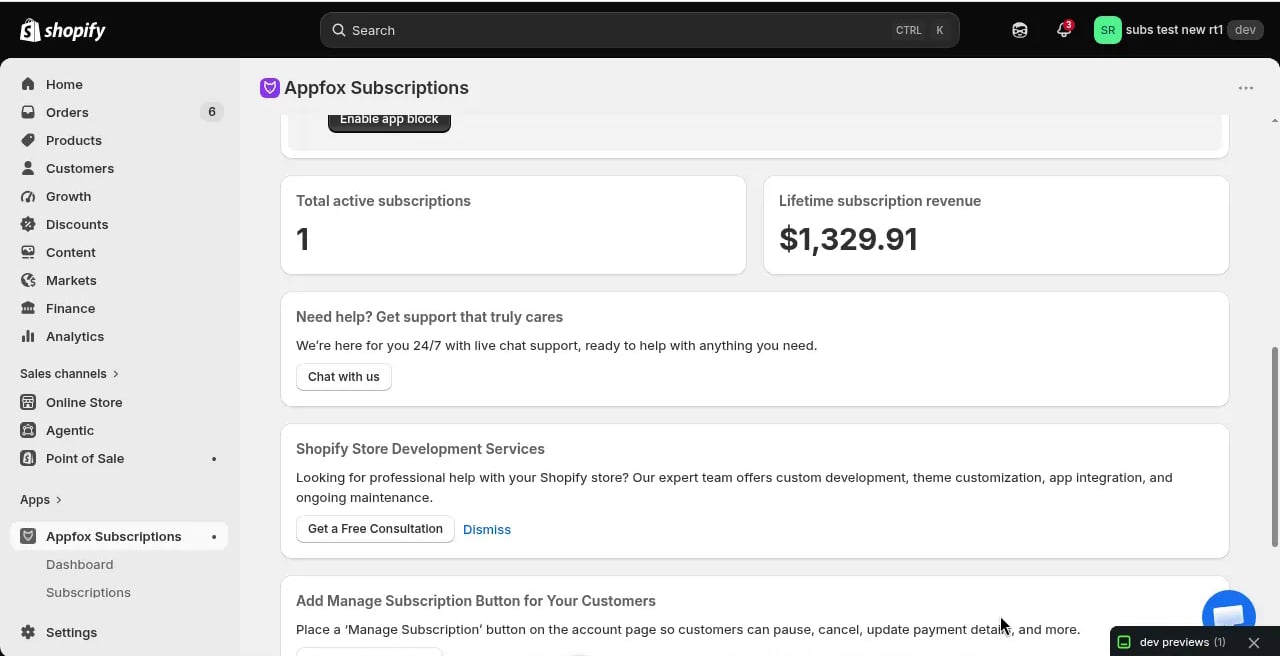
After a new install of Appfox Subscriptions, a one-time guided setup opens above the home page. It walks you through the three launch tasks below and resumes at your first incomplete step if you leave and return.
You can choose **Skip guided setup** at any time. Finishing or skipping permanently closes the one-time walkthrough, but the reusable setup guide stays on your home page for reference.
 ## Setup steps
Go to **Plans** and click **Create Subscription Plan**. Choose a name, select products, set your billing frequency, and configure the discount.
Your first plan can be simple. You can create more plans or edit this one later.
Go to **Storefront**, then **Widget**, and pick a design for the subscription options that appear on product pages. You can customize colors, button text, and discount display.
The widget preview updates in real time as you make changes. Click **Save** to complete this setup step; default settings alone do not mark it complete.
From guided setup or the home-page setup guide, click **Open theme editor**. Add the **Subscription Widget** app block to your product page template and click **Save** in Shopify.
Return to Appfox Subscriptions and click **I added and saved the block**. The app cannot detect the theme-editor save automatically, so this confirmation is required before setup is shown as complete.
The widget will display on any product that has an active subscription plan.
After all three steps, choose **Finish setup**. Appfox Subscriptions is [free for now](/subscription/docs/subscription/docs/settings/billing), so there's no plan to pick and every feature is already unlocked.
## What happens next
Once you complete setup, customers can select subscription options on product pages. When they check out, Shopify creates a subscription contract. The app processes billing automatically based on the schedule you configured.
## Setup steps
Go to **Plans** and click **Create Subscription Plan**. Choose a name, select products, set your billing frequency, and configure the discount.
Your first plan can be simple. You can create more plans or edit this one later.
Go to **Storefront**, then **Widget**, and pick a design for the subscription options that appear on product pages. You can customize colors, button text, and discount display.
The widget preview updates in real time as you make changes. Click **Save** to complete this setup step; default settings alone do not mark it complete.
From guided setup or the home-page setup guide, click **Open theme editor**. Add the **Subscription Widget** app block to your product page template and click **Save** in Shopify.
Return to Appfox Subscriptions and click **I added and saved the block**. The app cannot detect the theme-editor save automatically, so this confirmation is required before setup is shown as complete.
The widget will display on any product that has an active subscription plan.
After all three steps, choose **Finish setup**. Appfox Subscriptions is [free for now](/subscription/docs/subscription/docs/settings/billing), so there's no plan to pick and every feature is already unlocked.
## What happens next
Once you complete setup, customers can select subscription options on product pages. When they check out, Shopify creates a subscription contract. The app processes billing automatically based on the schedule you configured.
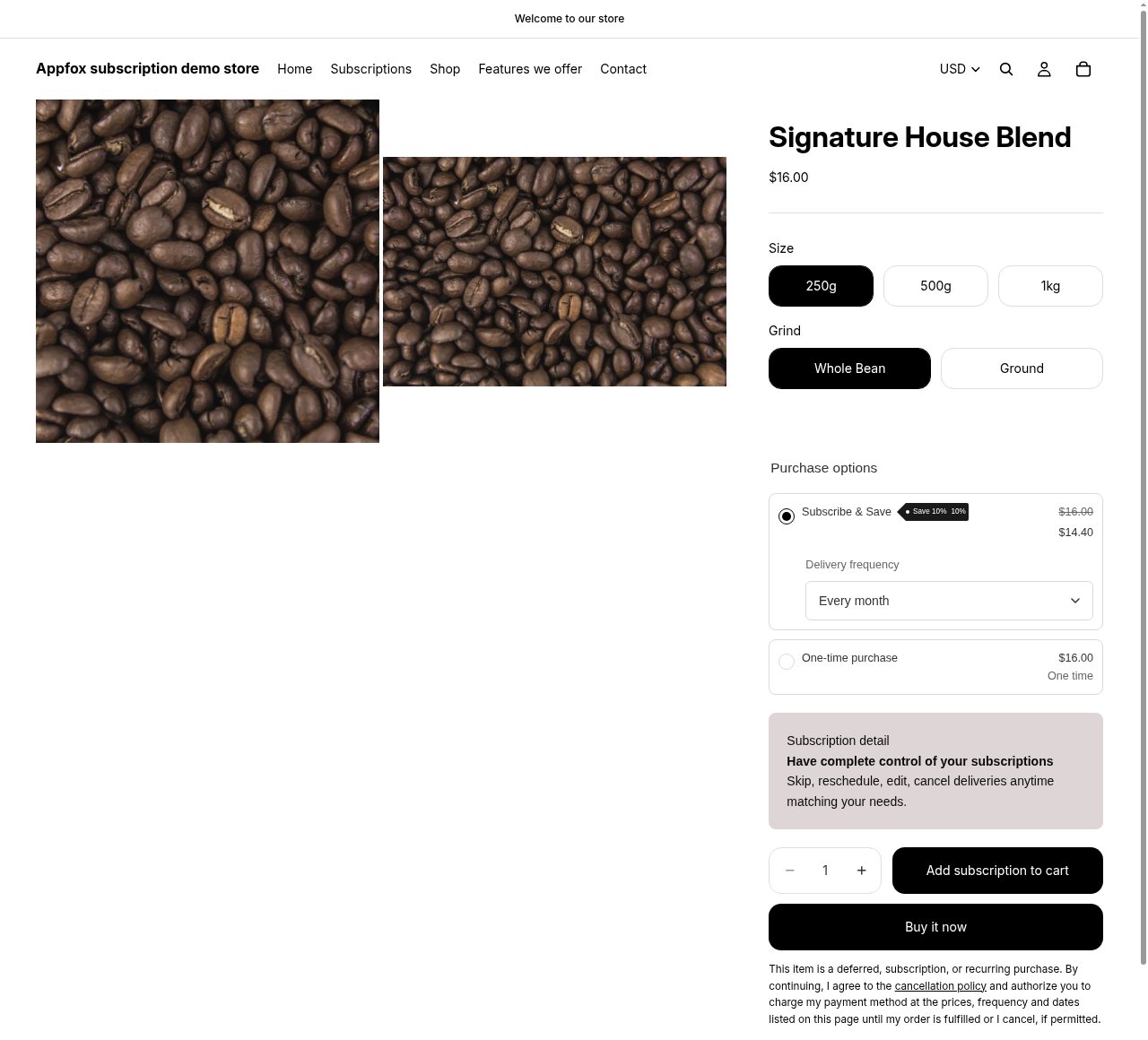 The widget appears on product pages and displays your subscription options, discounts, and delivery frequencies. Customers can choose between subscription and one-time purchase.
You'll see new subscriptions appear in the **Subscriptions** section of the dashboard as orders come in.
## Suggested next steps
Once you have a plan running, the app home page shows a **Suggested next step** card: one specific thing that would likely help your store, chosen from the features you haven't set up yet — a prepaid plan, build-a-box, add-ons, product swap automations, branded emails, and so on.
Suggestions are based on what you sell and how your subscriptions are performing, so they change as your store grows. If a suggestion isn't for you, choose **Not interested** and the next one takes its place.
If a suggested feature isn't included in your plan, the card says which plan includes it and links to Shopify's hosted plan-selection page. See [Manage your app plan](/subscription/docs/subscription/docs/settings/billing) for details.
Looking for inspiration? Check out [use cases](/subscription/docs/subscription/docs/use-cases) to see different ways merchants use Appfox Subscriptions for their business models.
Need help? Contact us at [support@getappfox.com](mailto:support@getappfox.com).
This documentation is built and hosted on [Mintlify](https://mintlify.com), a developer documentation platform.
The widget appears on product pages and displays your subscription options, discounts, and delivery frequencies. Customers can choose between subscription and one-time purchase.
You'll see new subscriptions appear in the **Subscriptions** section of the dashboard as orders come in.
## Suggested next steps
Once you have a plan running, the app home page shows a **Suggested next step** card: one specific thing that would likely help your store, chosen from the features you haven't set up yet — a prepaid plan, build-a-box, add-ons, product swap automations, branded emails, and so on.
Suggestions are based on what you sell and how your subscriptions are performing, so they change as your store grows. If a suggestion isn't for you, choose **Not interested** and the next one takes its place.
If a suggested feature isn't included in your plan, the card says which plan includes it and links to Shopify's hosted plan-selection page. See [Manage your app plan](/subscription/docs/subscription/docs/settings/billing) for details.
Looking for inspiration? Check out [use cases](/subscription/docs/subscription/docs/use-cases) to see different ways merchants use Appfox Subscriptions for their business models.
Need help? Contact us at [support@getappfox.com](mailto:support@getappfox.com).
This documentation is built and hosted on [Mintlify](https://mintlify.com), a developer documentation platform.